
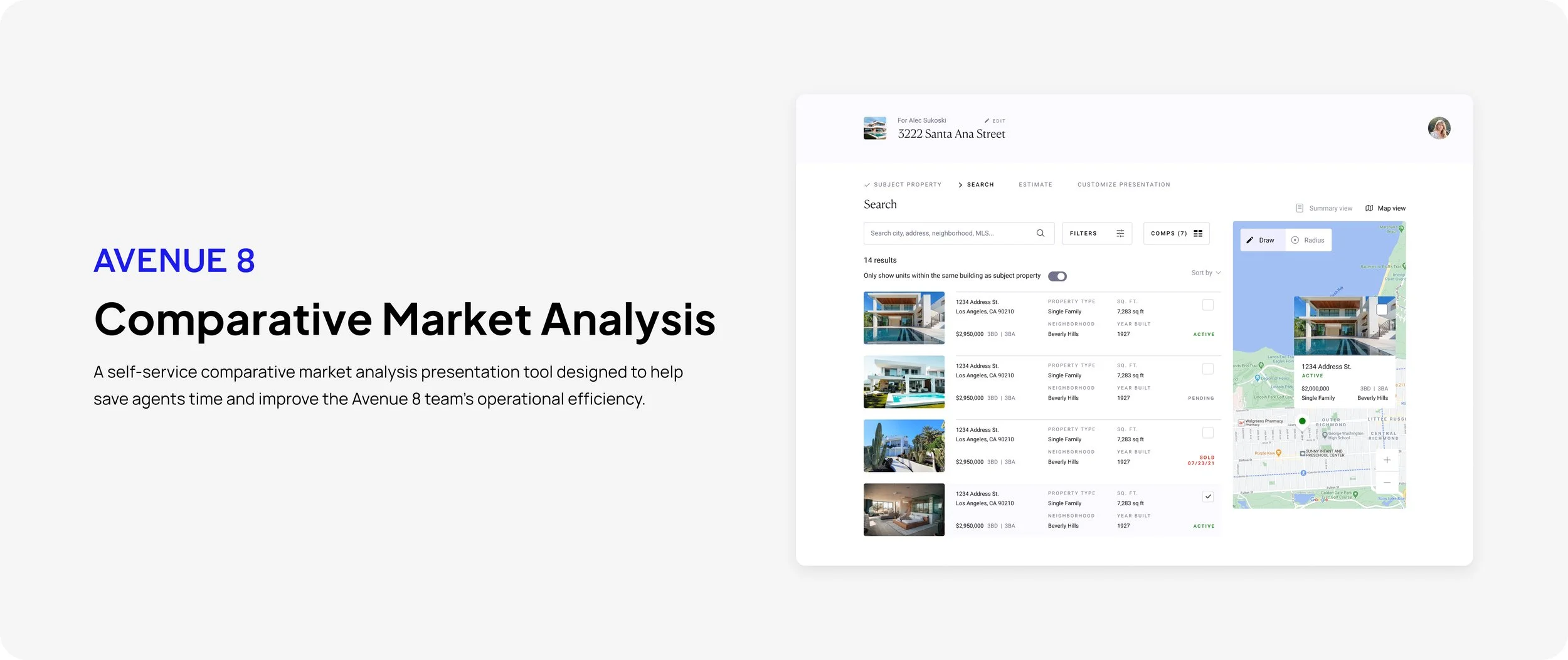
Overview
Avenue 8 is a residential brokerage platform that empowers agents to be more entrepreneurial, to close from anywhere, and to keep substantially more of their income. I was responsible for leading the design of our new self-service CMA tool created for our agents to use.
Saving agent time while improving operational efficiency
Previously, to get an Avenue 8 branded CMA presentation, our agents had to submit a request to one of our AEMs, (Agent Experience Manager) who would then create one manually through our internal CMA tool. The return rate would typically take over a day, due to all the other tasks and services that AEMS had to provide for our agents.
We found that agents would end up finding other tools outside of Avenue 8 to create a CMA on their own, due to the slow return rate from the AEMS, which in turn would mean that they would be presenting a non-Avenue 8 branded CMA to their clients.
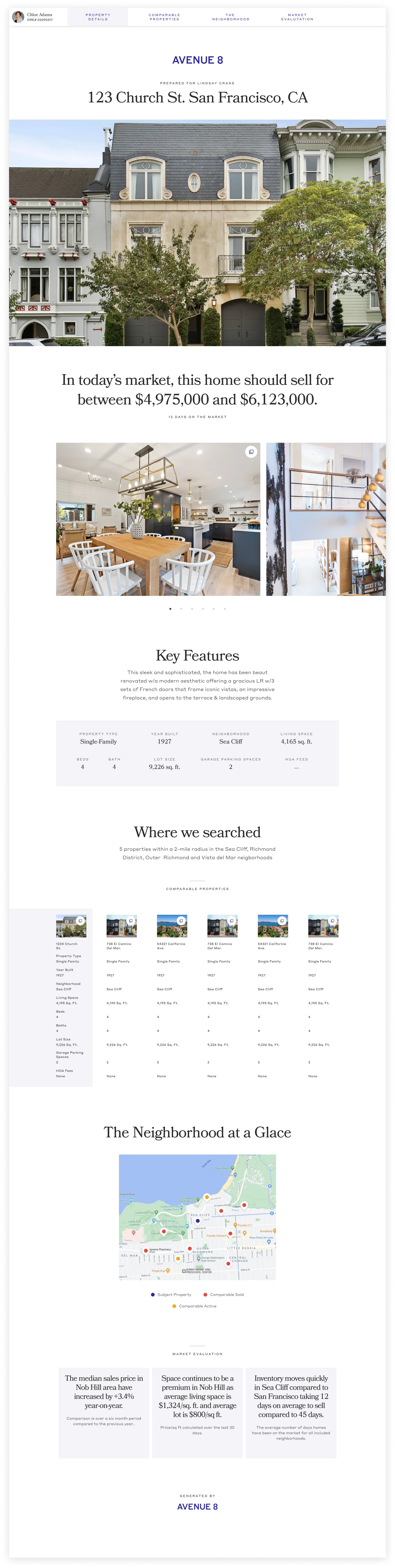
CMA Presentation Example
Designing a intuitive self-service CMA tool
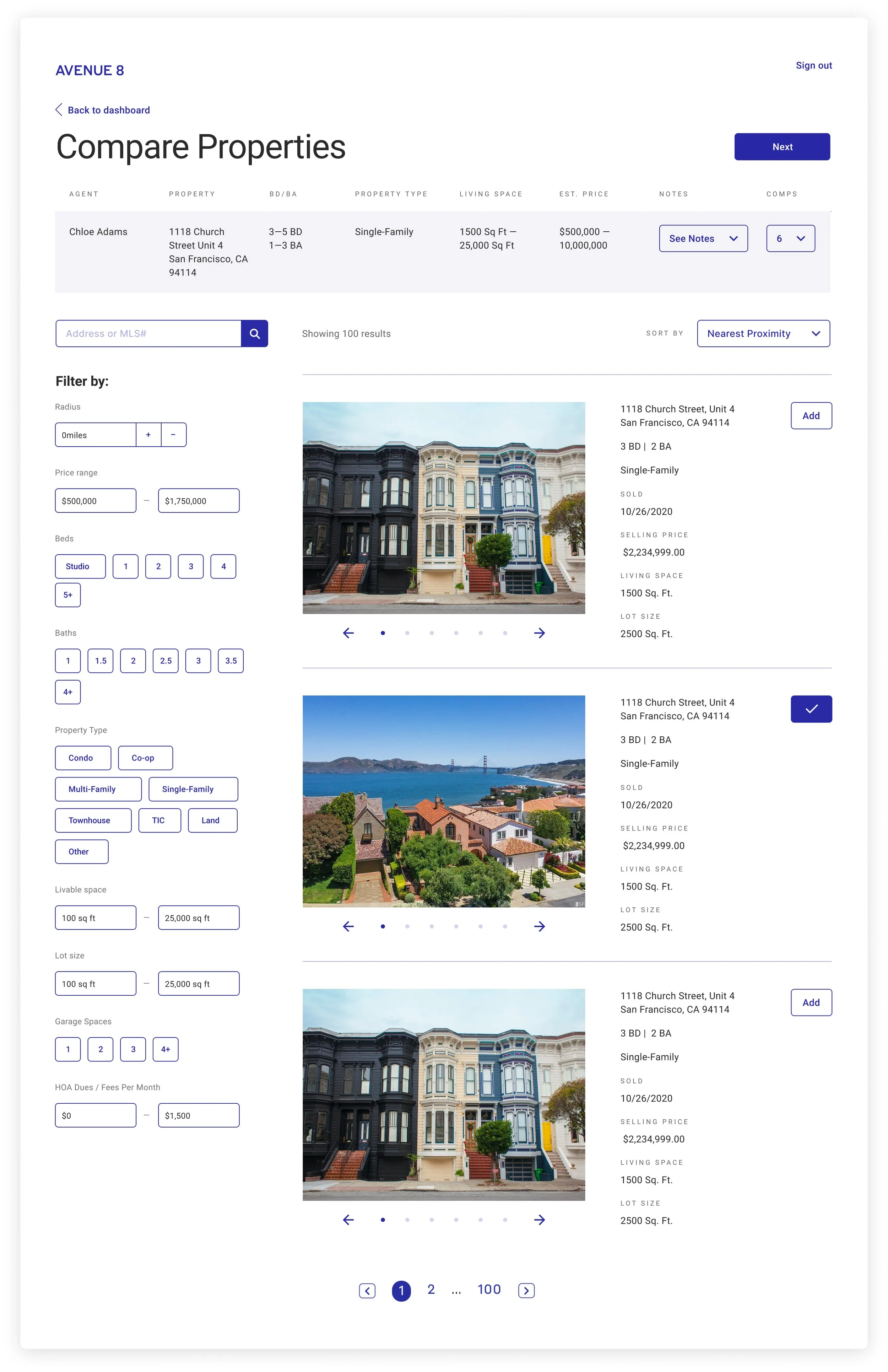
Redesigning our internal CMA tool into a self-service tool that allows our agents to easily and quickly create a beautiful Avenue 8 branded CMA presentation without the help of an AEM on our team. This in turn will also decrease the amount of time and manual work for AEMs, which then can then reuse to focus on other services for agents.
OLD INTERNAL TOOL
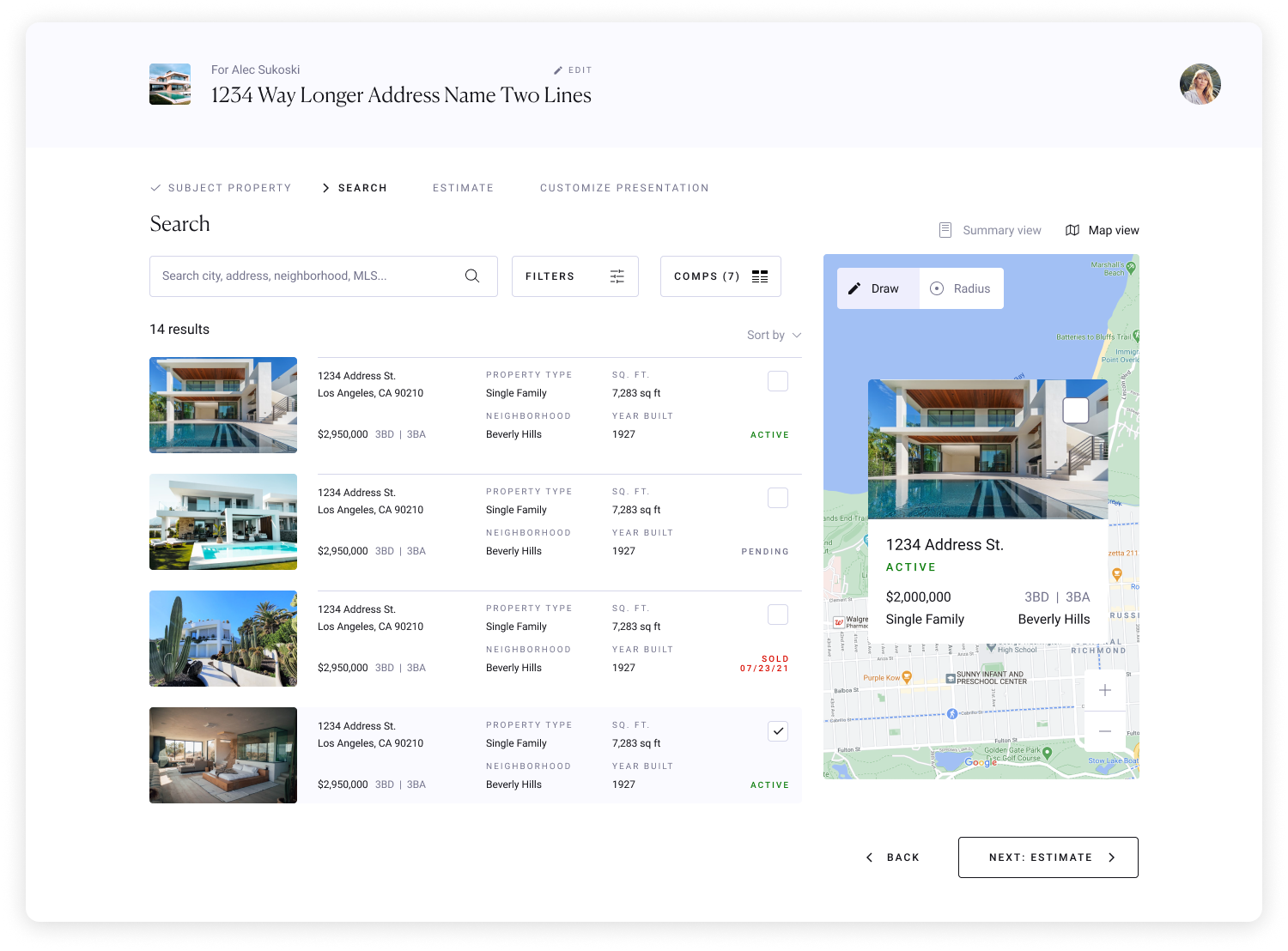
NEW SELF SERVICE
Research and Discovery
First, we wanted to learn more about how real estate agents today use marketing and comparative market analysis to support their businesses. We conducted user research through interviews with our internal agents as well as external agents through usertesting.com.
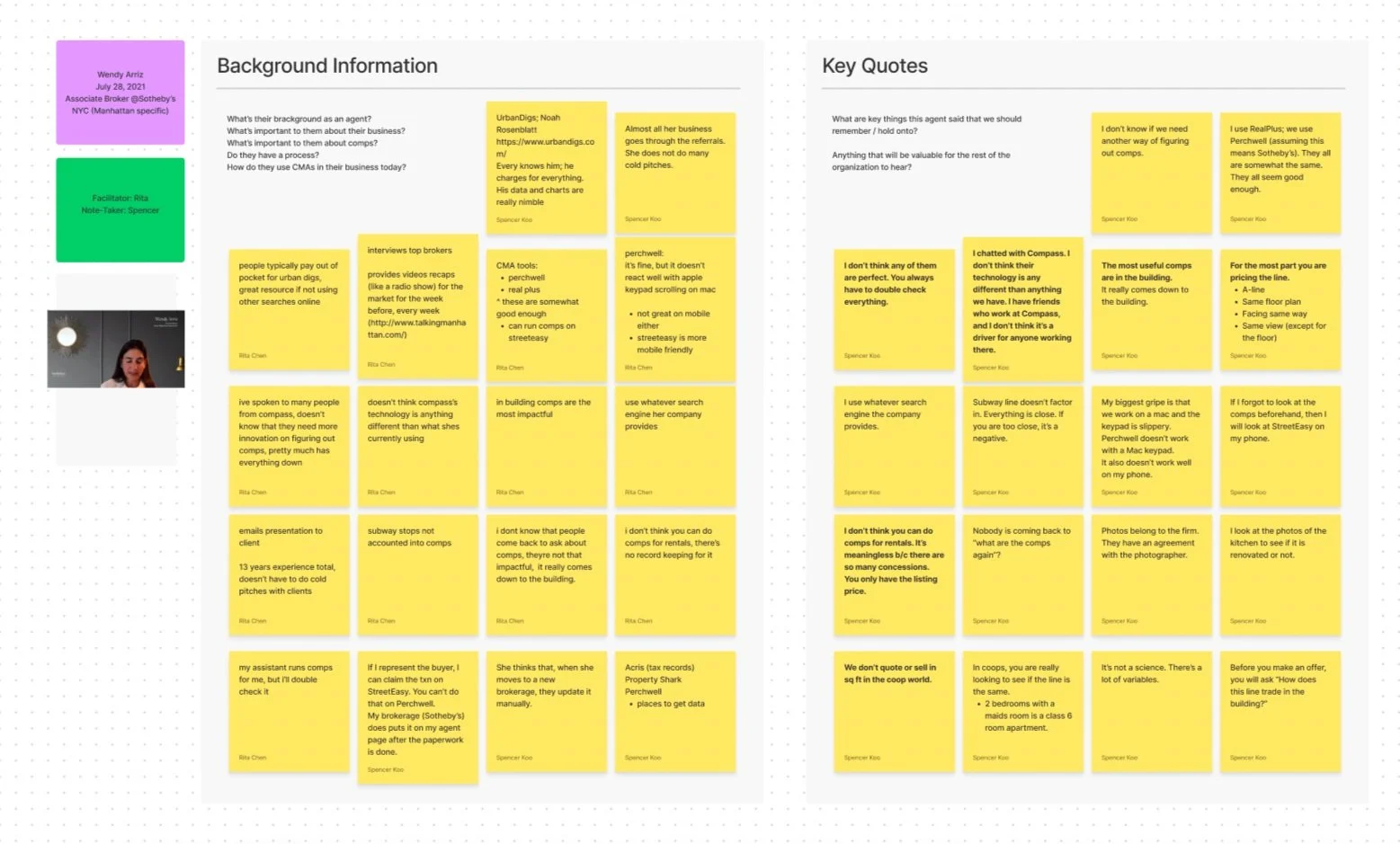
Example of interview notes with a NYC agent

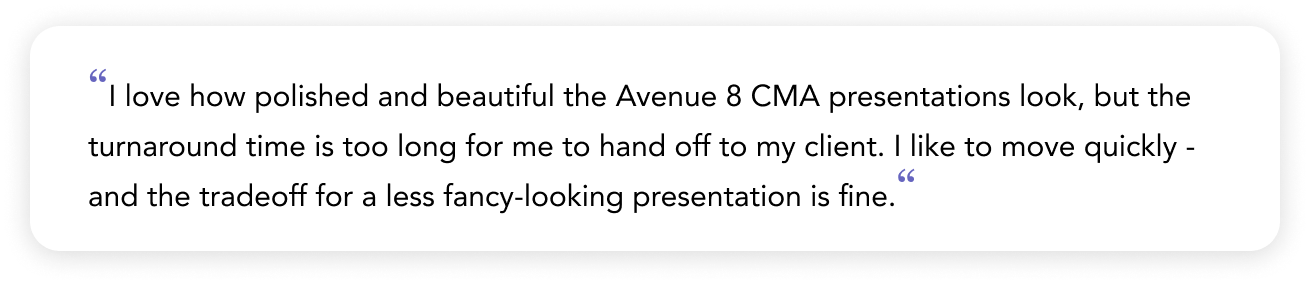
User Research Insights
The comparable ‘Search’ mental model in NY for agents is building > similar units > condition of unit, while CA is neighborhood > similar filters > spec properties.
Map view is a lot more useful for California agents as they prioritize drawing in a radius or polygon to filter within a neighborhood as a first step, but not as useful for New York agents
There are many agents that use CMA tools to create general presentations of listings for other use cases too (opportunity to iterate this as a CMA tool first, then generalized presentations to give agents flexibility)
Information Architecture
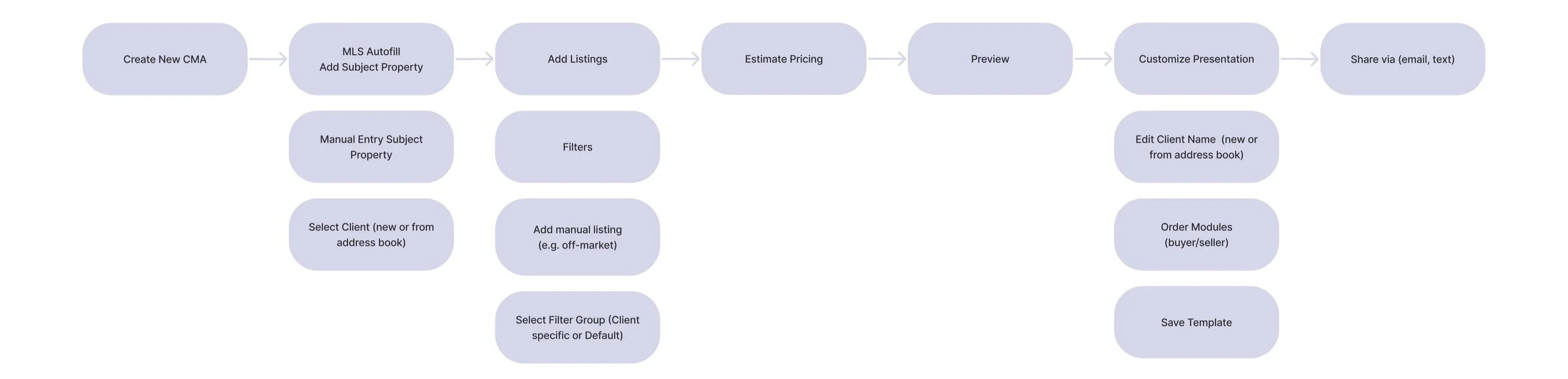
I created a user flow to show how an agent like Mariana or Linda would go through the tool to create a new CMA presentation to send to their clients.
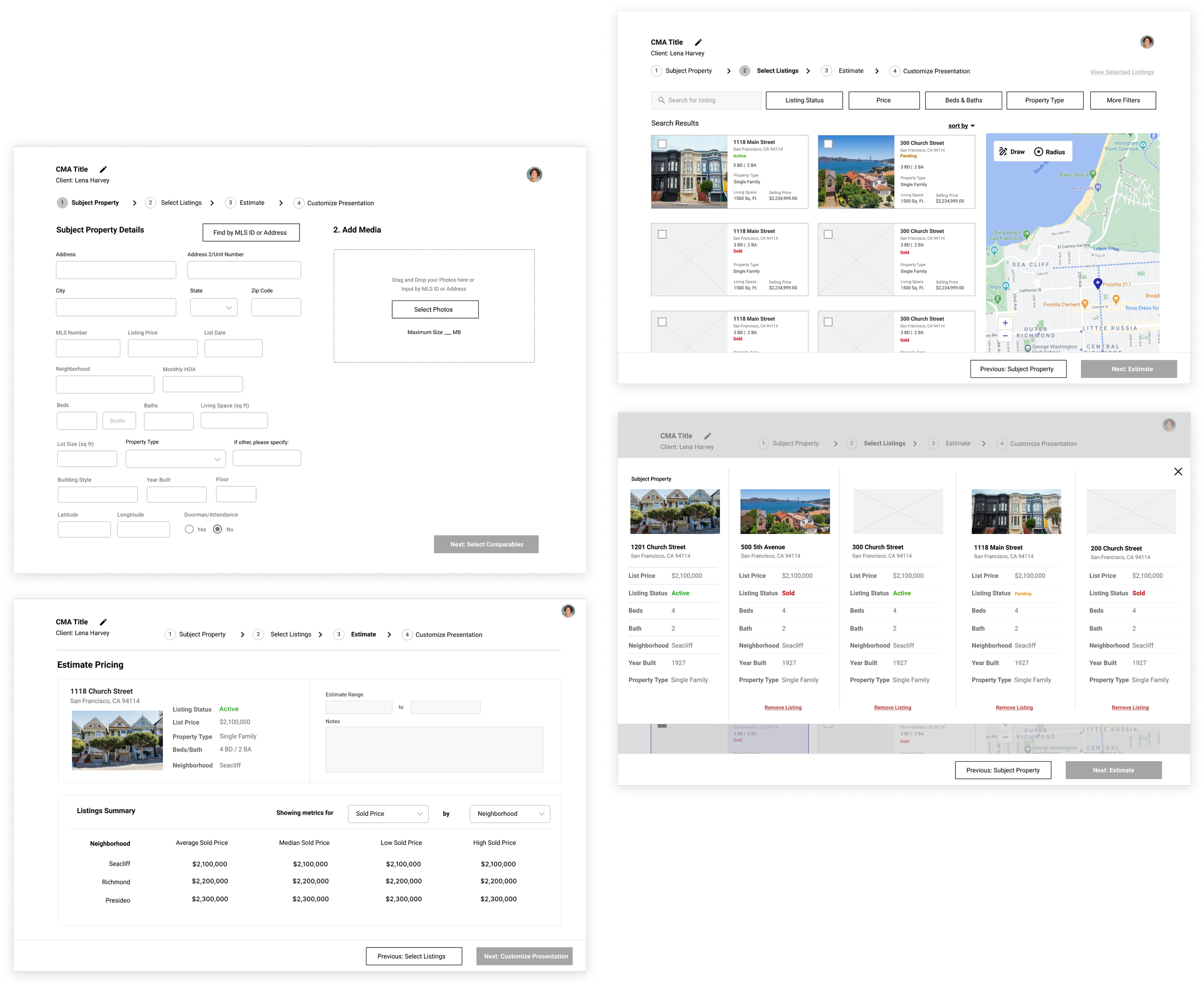
Wireframes
Using our research insights and flows, I created wireframes in Figma, keeping in mind to simplify the CMA creation process for the agent as much as possible while still providing all the necessary functionality.
User testing and changes made
With the wireframes, I created a clickable prototype to user test. We conducted the tests with both internal and external agents in California and New York to learn about the different ways they use CMA tools and what they prioritize in their workflow. Overall, agents were able to pick up the general flow pretty easily. However, we were able to gather some useful feedback for our next iteration that shaped the following changes to the designs:
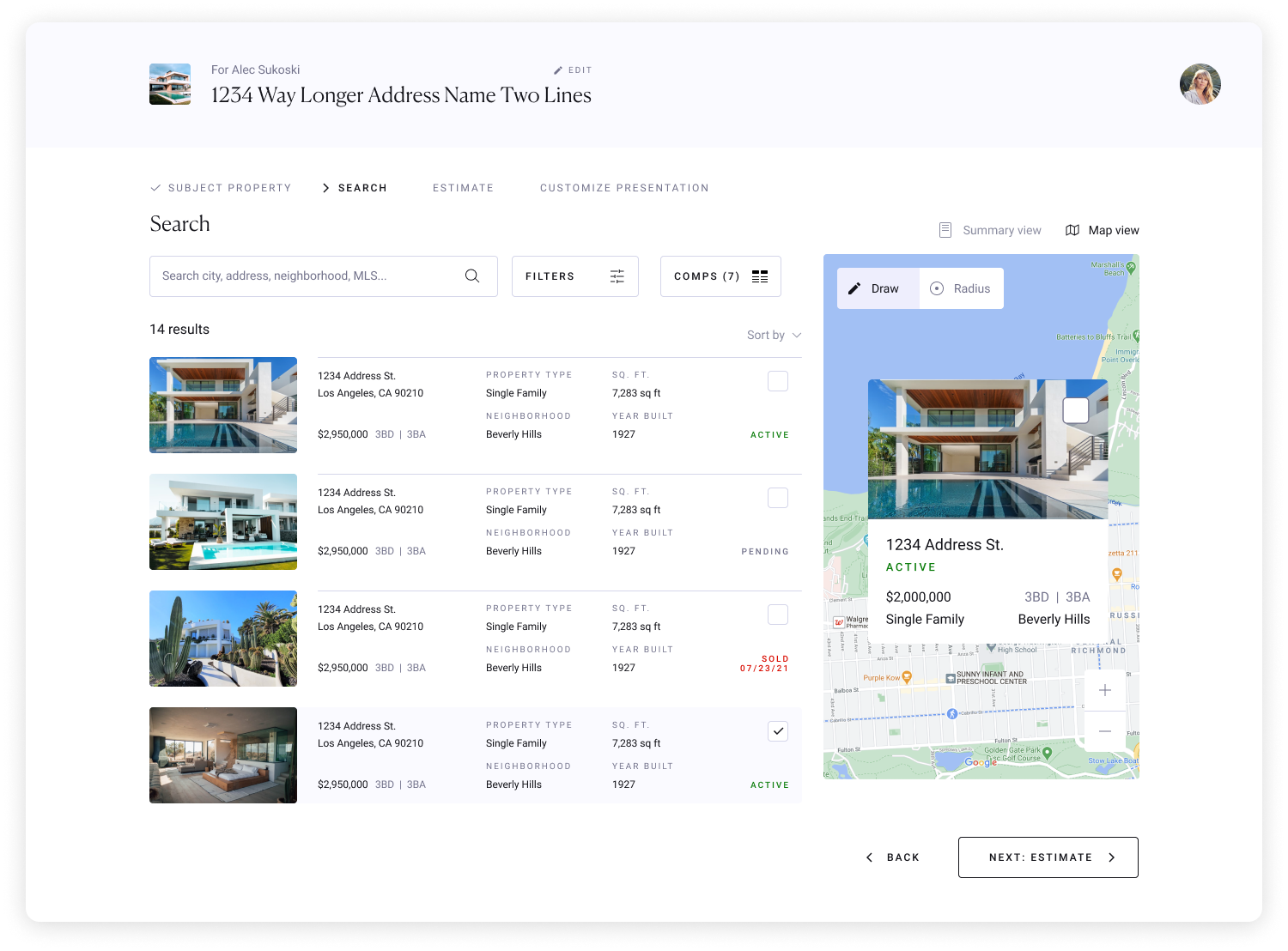
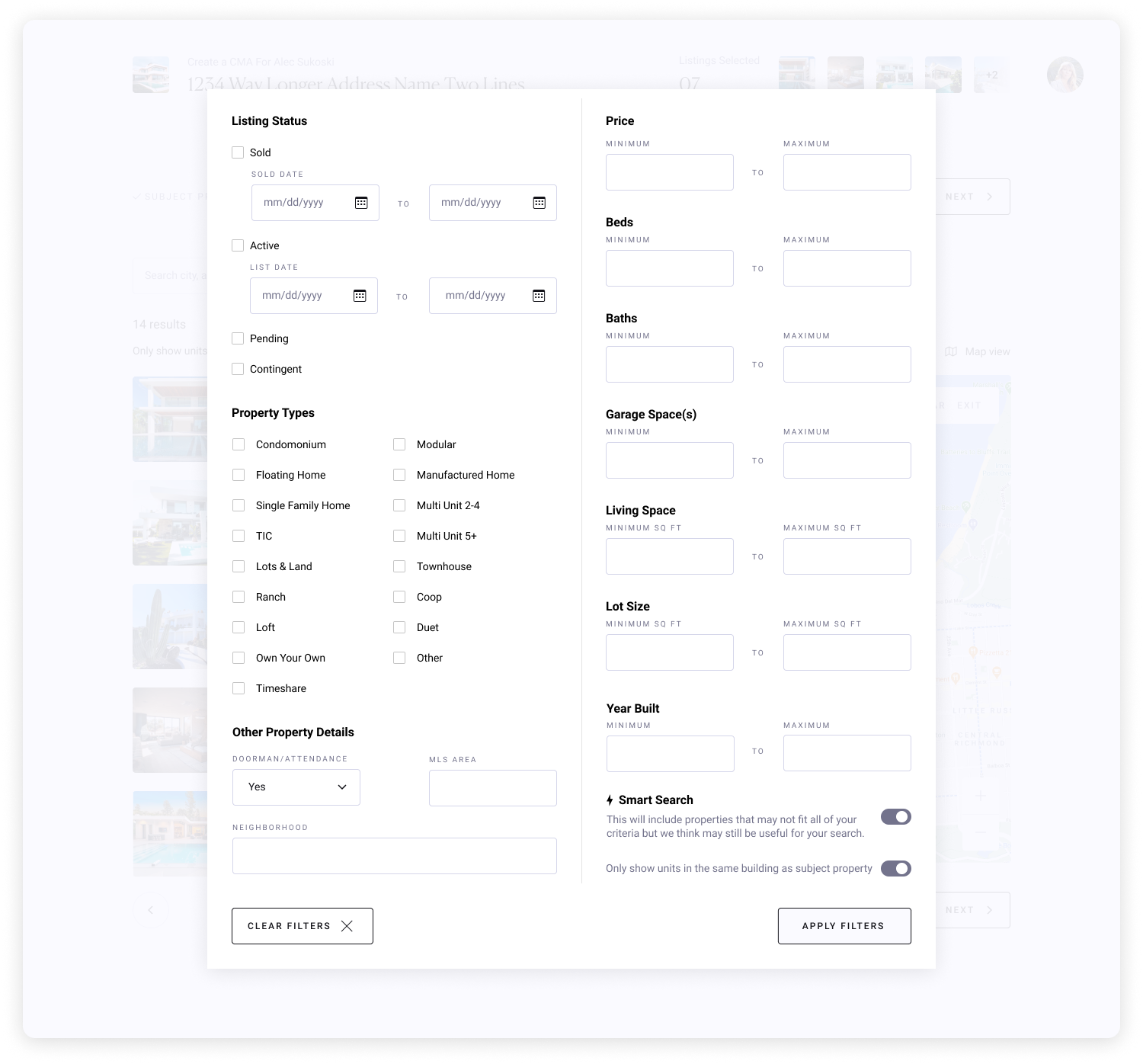
Added an extra filter to cater to New York Agents (toggle to search for units within the same building)
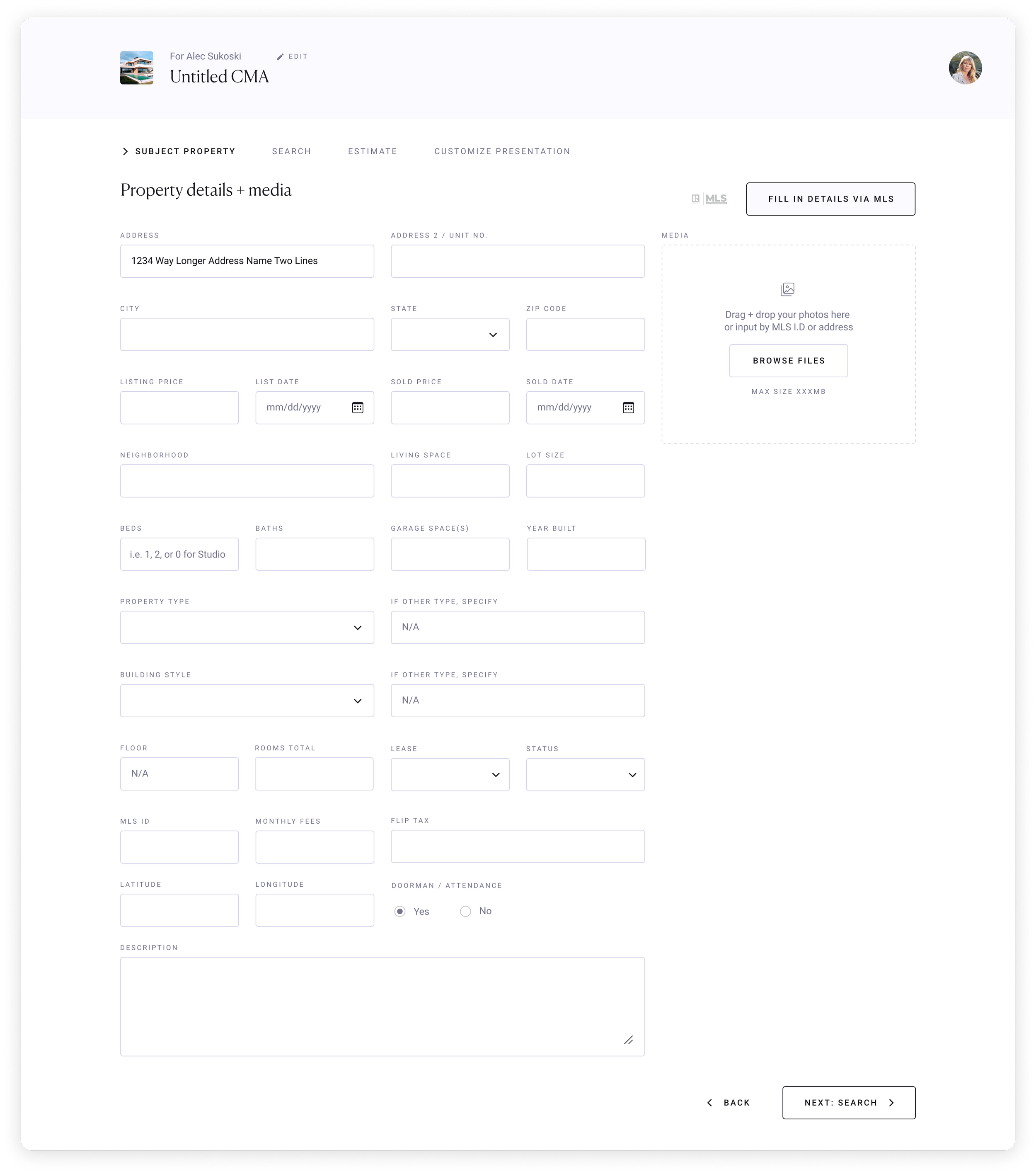
Made the subject property step optional, agents preferred to have the added flexibility
Consolidated filters all into one modal. Originally there were 4 different filters (assuming that those four were the top used filters) and a “more filters” button placed on the search page, but we then learned that there aren’t any “top used filters” amongst all agents for CMAs, it all depends on the use case and region
Did a deep dive on UX copy and made adjustments accordingly
Design System
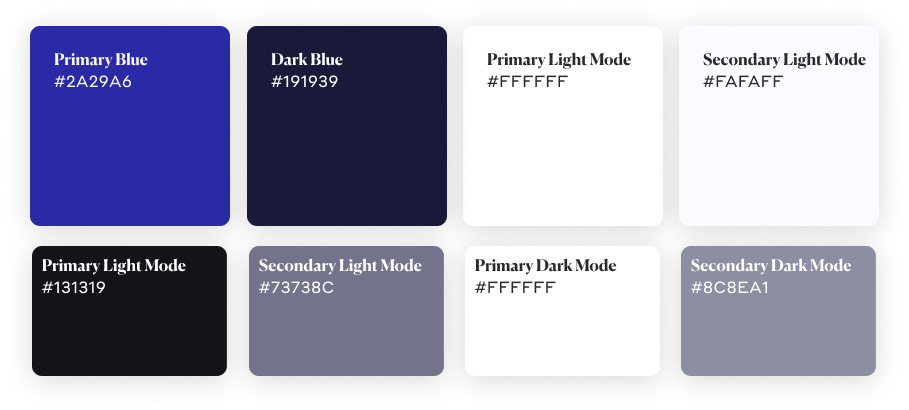
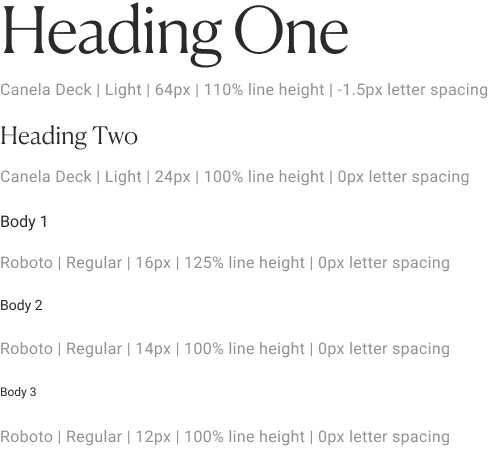
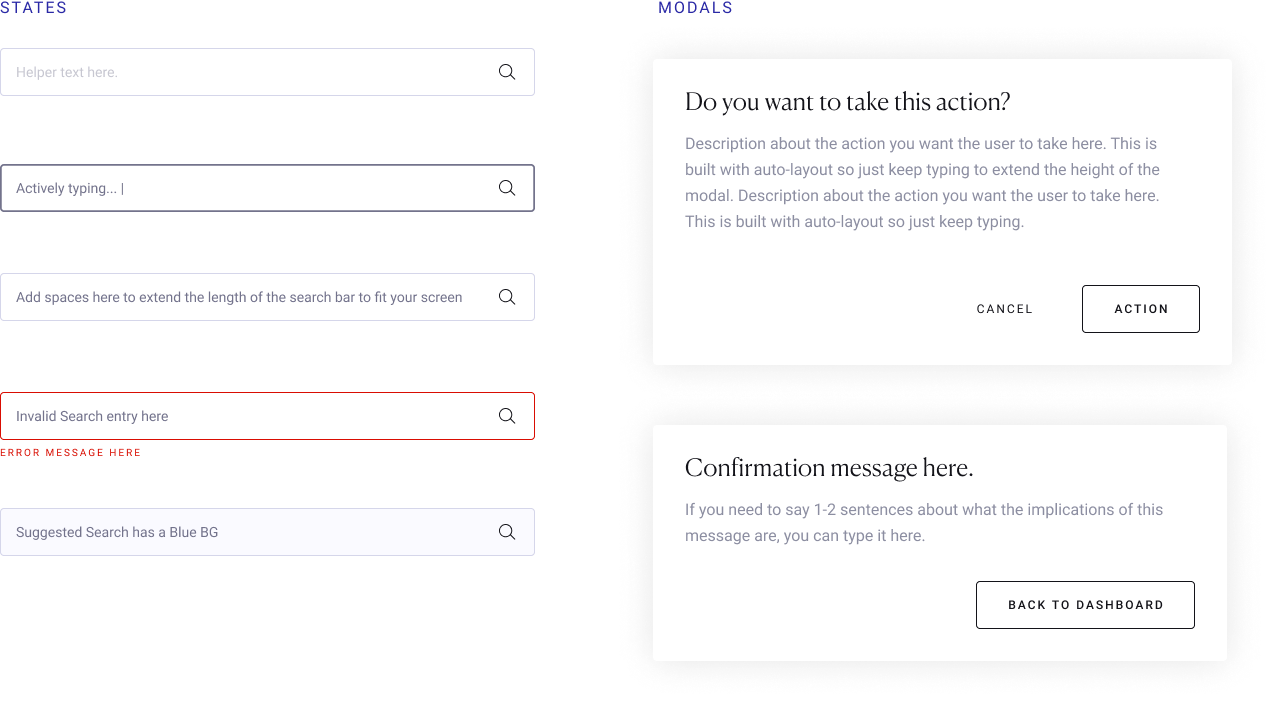
The Creative Director established a design system for our product, which was also applied across all other future Avenue 8 products.
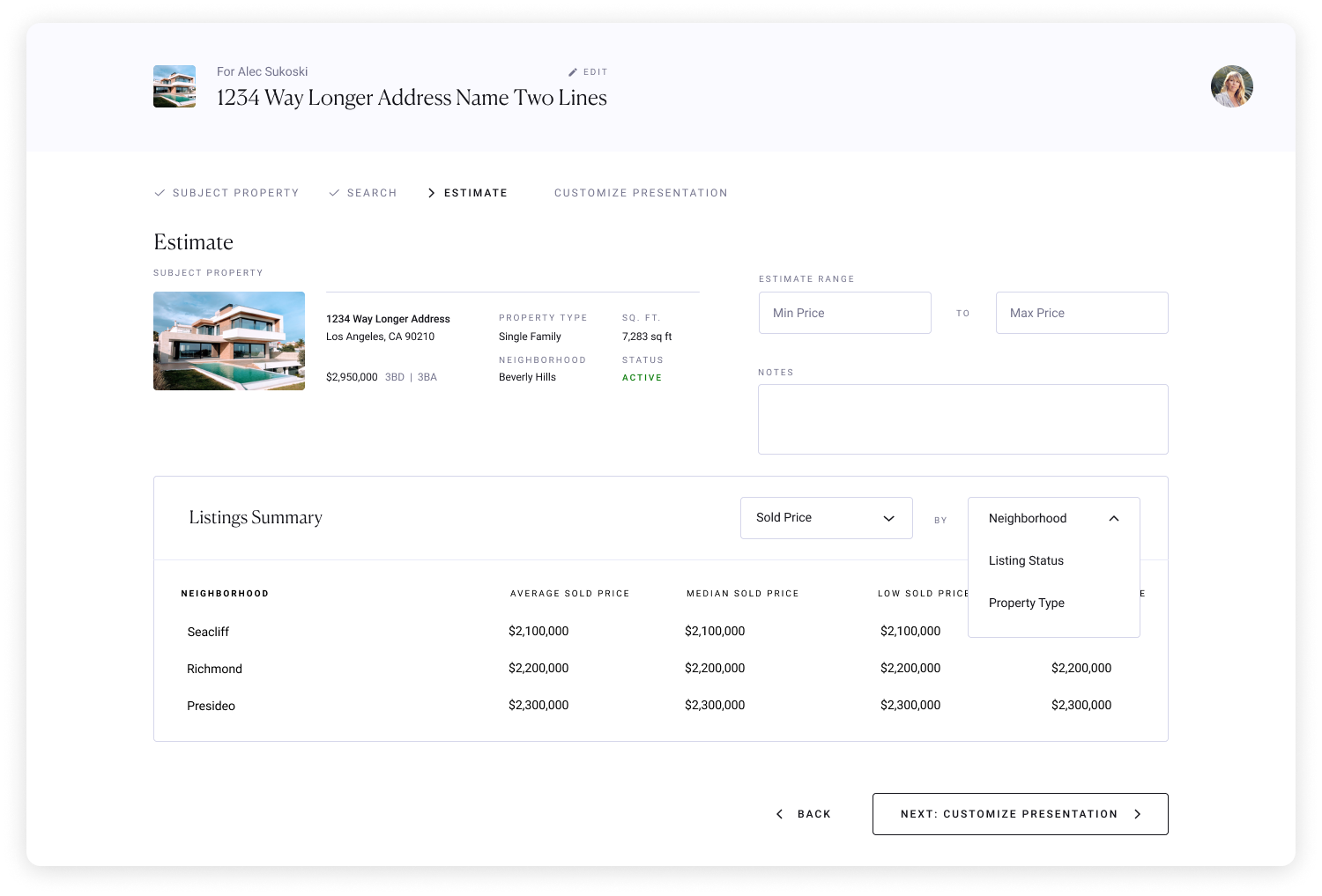
Final Design
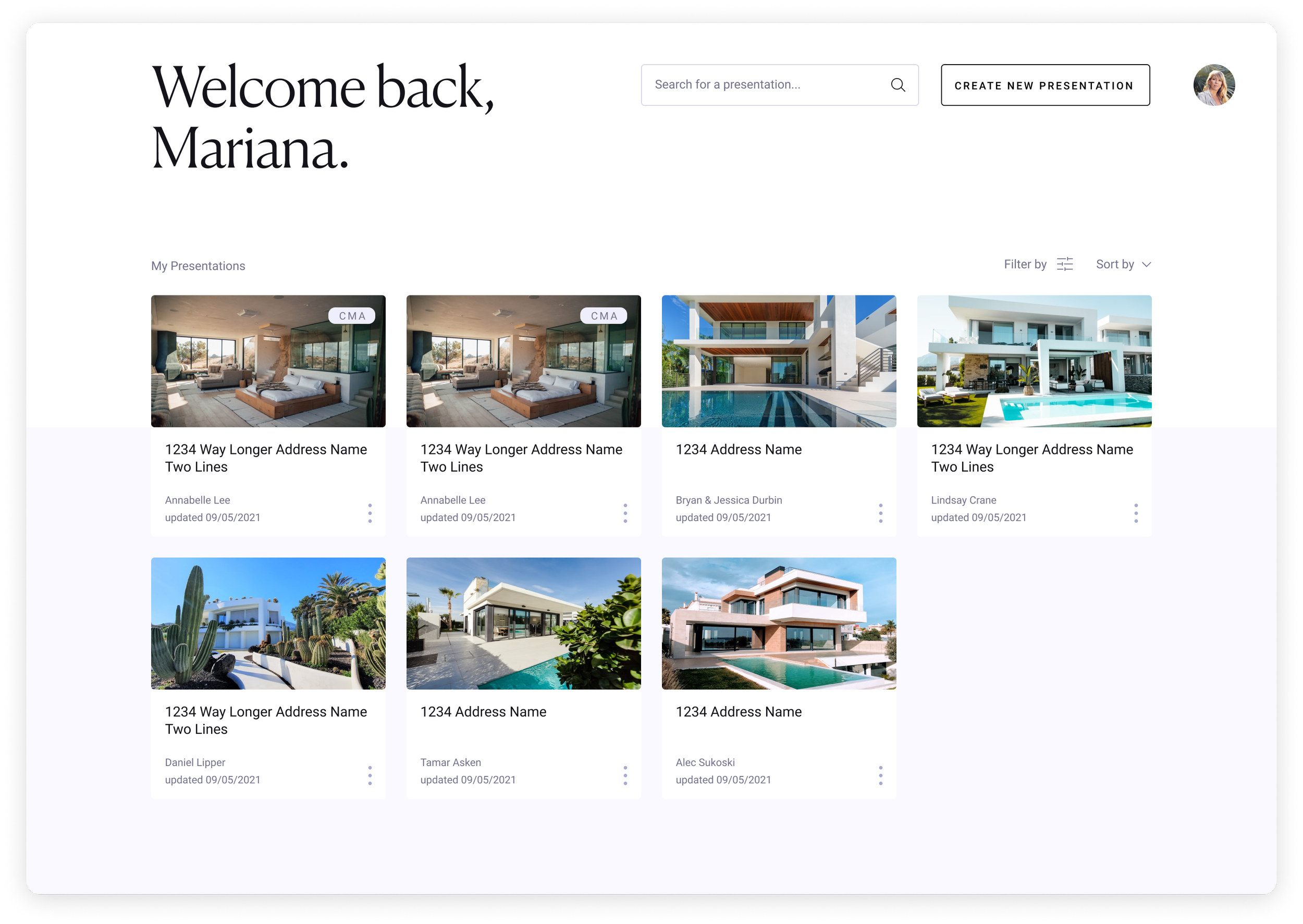
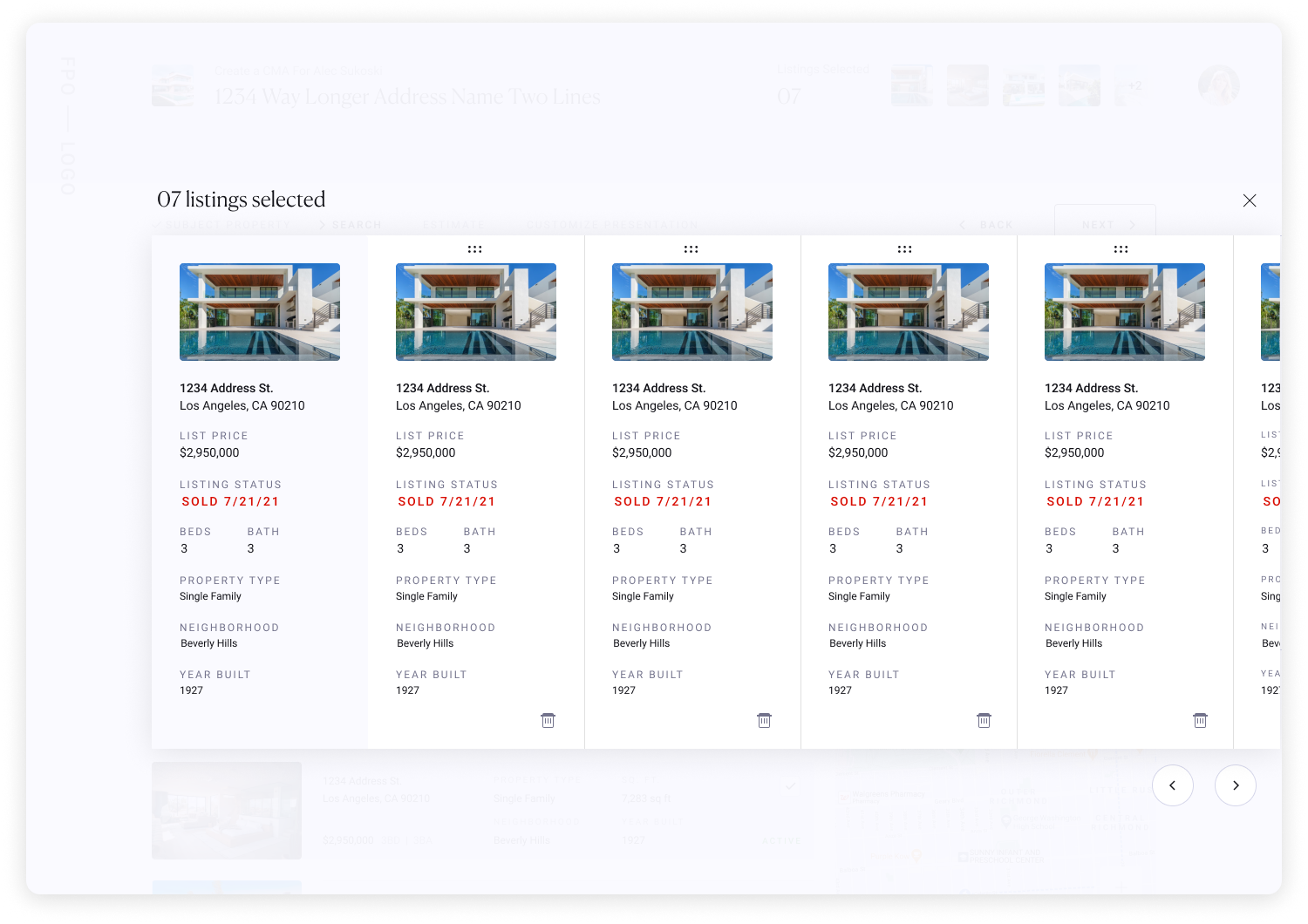
Using the design system, my wireframe designs were brought to life!

Outcome
The self-service CMA builder launched to strong initial reception, with agents appreciating the ability to create CMAs without routing requests through AEMs. CMA creation increased 46% MoM, reflecting demand that had been there from the start. By shifting CMA creation to a self-service model, we eliminated a manual bottleneck that was slowing agent response time and taking AEM bandwidth away from higher value work. Also, agents who can send CMAs faster are more likely to win listings, which means increase in revenue for Avenue 8.
Reflection
If I were to revisit this feature, I'd want to bring homebuyers into a future research round since the CMA is ultimately a document they receive and act on, but their perspective was absent from our process. Interviewing buyers could surface what they actually want to see in a CMA, and whether agents or existing tools are missing something that matters to the people on the other side of the transaction.